
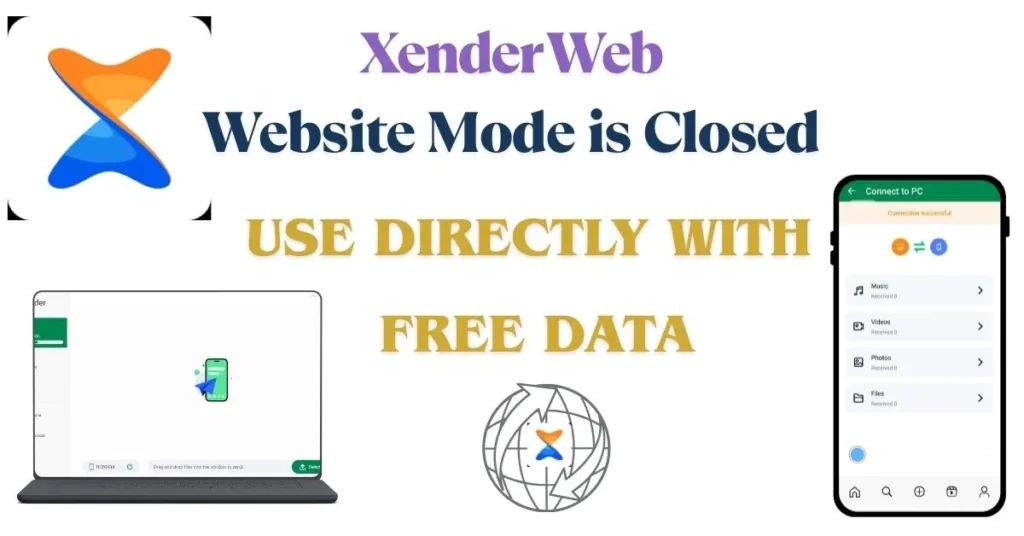
How to Connect Xender to PC Using Direct Mode?
Connecting a PC to Xender Web has officially changed from web.xender.com to direct Wi-Fi mode. Now you can access Xender on your laptop using the following easy steps.
Step 1: Install Apk on your PC
Download and install Xender APK on your PC or laptop. Using the link below:
Step 2: Install Xender App on your phone.
Now, install the Xender app on your Android phone from the Google Play Store or on your iPhone/iPad from the App Store.
Step 3: Connect PC
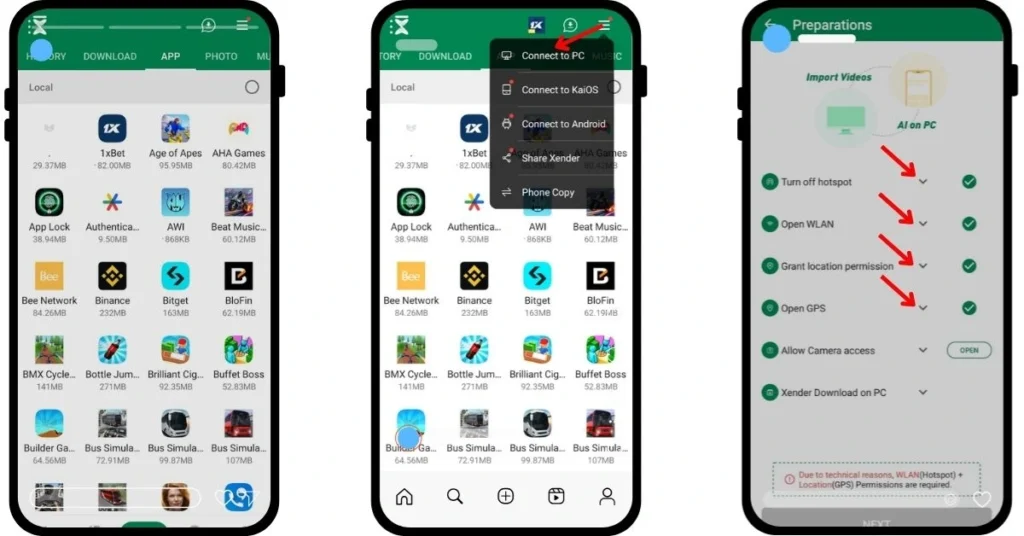
Open the app on your mobile phone, and at the top right of your screen, click the three lines. From the drop-down menu, select Connect to PC.
- Turn off the hotspot
- Open WLAN (Wi-Fi)
- Grant location permission
- Open GPS
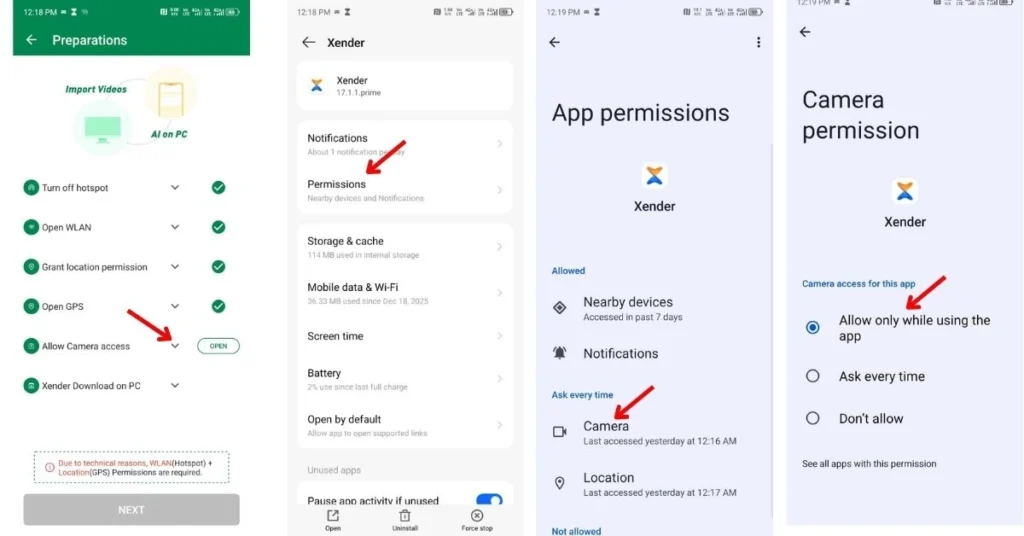
Step 4: Grant Permissions
Allow camera access to proceed further. After giving all necessary permission, click Next.
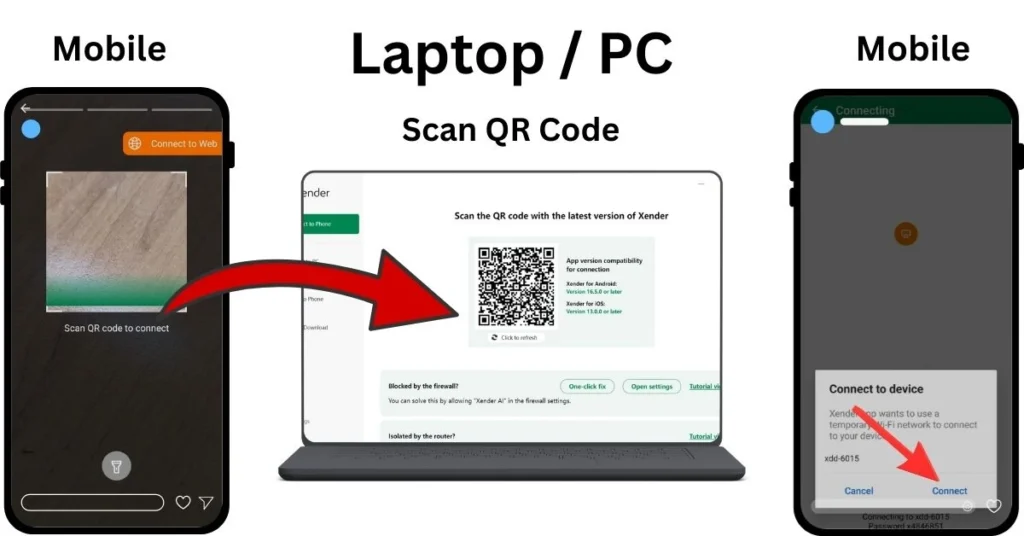
Step 5: Scan QR Code
Now, your mobile will ask for “Scan QR code to connect”. On your laptop or PC screen, a QR code will appear; scan this code with your mobile. Once the code is scanned, click Connect on your cell phone.
Step 6: Enjoy using Xender
Now Xender is connected to your PC and will function the same as WebXender.
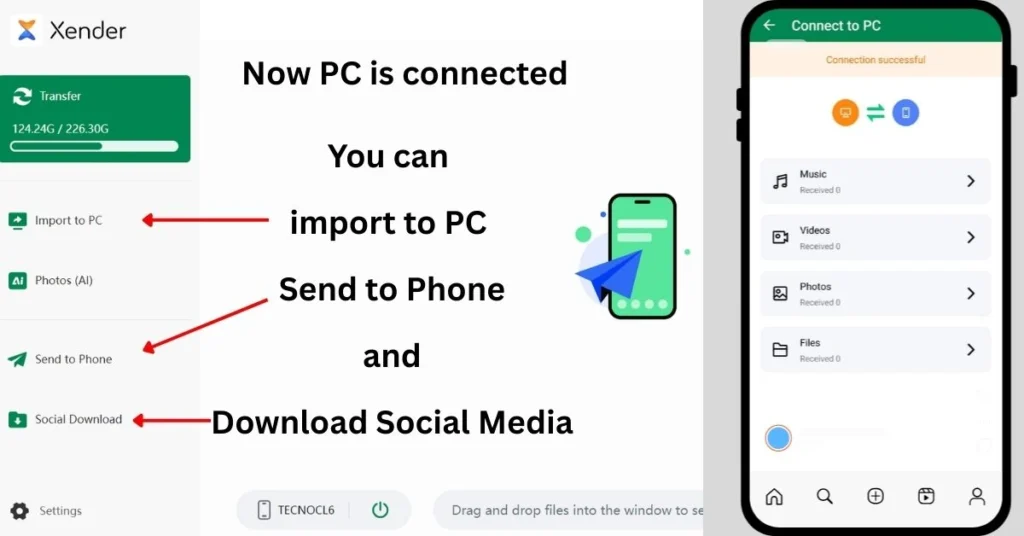
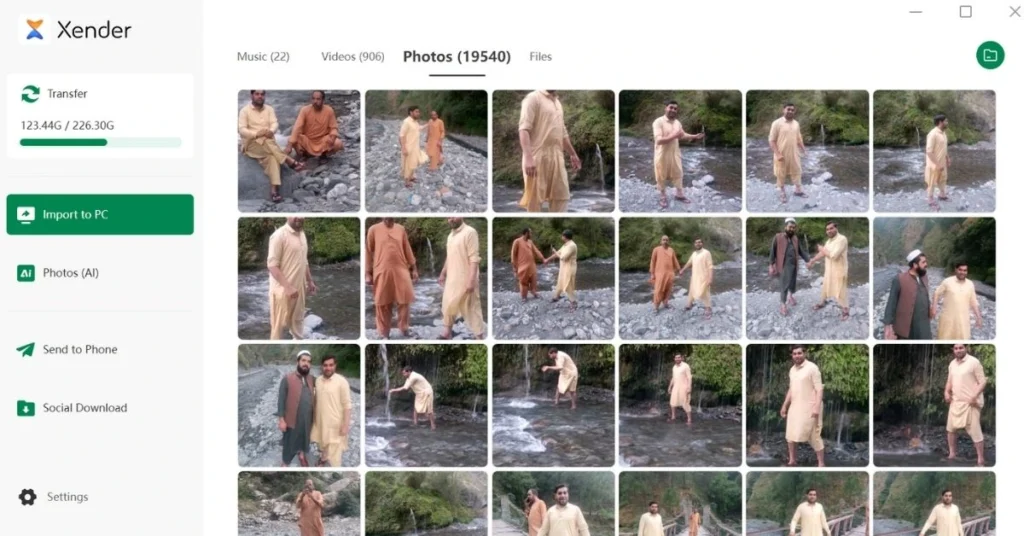
Now, you are online at the Xender platform on your computer screen. You can easily import images, videos, music, and documents to your PC from your mobile and send the same from your PC to your cell phone.
Besides this, you can also enjoy social media downloads. For a complete and comprehensive guide, visit our page, “https://xenderpro.in/xender-social-media-downloader-2025/“
For a more detailed article on Xedner web mode, you can jump to this page. “New Xender Web Hotspot Direct Mode“